The problem with secrets in tickets
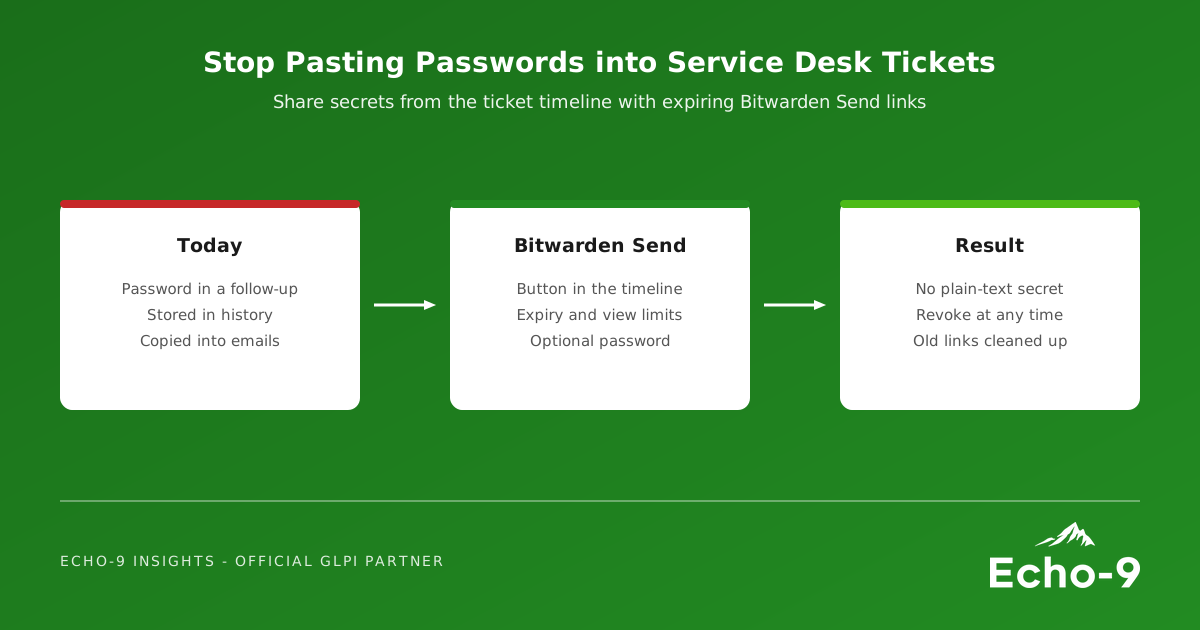
A ticket follow-up is designed to be kept. It sits in the ticket history, appears in searches and exports, may be copied into notification emails, and is visible to anyone who can see the ticket for as long as the ticket exists. A password shared that way is no longer under your control.
Most organisations already have a password manager. What has been missing is a quick, approved way to use it from inside the ticket, so that the secure option is also the easy one.
A new open-source plugin
French partner IT GOUVERNANCE has released Bitwarden Send for GLPI, an open-source plugin under the GPLv3+ licence. It adds a Bitwarden Send button to the timeline of tickets, changes and problems, next to Answer, Task and Solution.
The technician enters the secret, the plugin creates a Bitwarden Send link with a limited lifetime and number of views, and posts the link as a follow-up, public or private as required. The secret itself never has to be written into GLPI as plain text.
What it does
From the plugin's documentation:
- Control over each link: expiry date, maximum number of views, an optional password, and the option to hide the sender's email address.
- A dedicated tab on tickets, changes and problems to track each Send, see when it has expired and revoke it in one click.
- Automatic clean-up of old revoked or expired entries on a schedule you set.
- Templates: a configurable default message, or any of GLPI's own follow-up templates.
- Two ways to talk to Bitwarden: the official
bwcommand-line tool, or a native PHP driver with no external binary, for hosts without shell access such as GLPI Cloud. - Dedicated rights and encrypted credentials: a specific right controls who can use it, and its credentials are stored encrypted with GLPI's own key.
The interface is available in English, French and Spanish. Version 1.0.0 was announced in October, and the GLPI plugin directory now lists version 1.1.1, compatible with GLPI 12.0.
Where it fits in a UK service desk
- Joiners. Initial passwords for new starters, sent to the line manager with a single view and a short expiry.
- Suppliers. Temporary credentials or keys for a contractor, without them sitting in an email thread.
- Recovery. Recovery codes or Wi-Fi keys passed to a user during a call, gone once read.
It also gives auditors a clear answer to the question how do you share credentials?: through a controlled, expiring channel, with a record of when each link was created and revoked.
Before you install it
- Check versions. The current release targets GLPI 12; confirm the right release for your GLPI version.
- Decide on your Bitwarden setup. Choose which Bitwarden account or organisation the plugin uses, and which driver suits your hosting.
- Set sensible defaults. Short expiry and low view counts by default make the safe choice automatic.
- Write the rule down. Update your service desk procedure: secrets go through Bitwarden Send, never into a follow-up.
- Clean up the past. Consider searching old tickets for credentials that were shared the old way, and rotating them.
How Echo-9 helps
Echo-9 evaluates, installs and supports community plugins for the GLPI instances we manage, testing them on a staging copy first. We can configure Bitwarden Send for your environment, set the defaults and rights, and update your service desk procedures. It sits well alongside credential monitoring: one stops secrets leaking from tickets, the other tells you when they leak from somewhere else.
The secure way to share a password should be one click, not a policy document nobody reads.
Take secrets out of your tickets
We would welcome a conversation about adding Bitwarden Send to your GLPI instance and tightening how credentials are shared.