The project
Mohamed Amine Awane, a systems, networks and cyber security student at IGA Casablanca, shared a project carried out at FORAMAG S.A., the exclusive importer of the MOTUL brand in Morocco. The objective was to centralise the company's IT asset management, with a reliable inventory and better traceability of equipment.
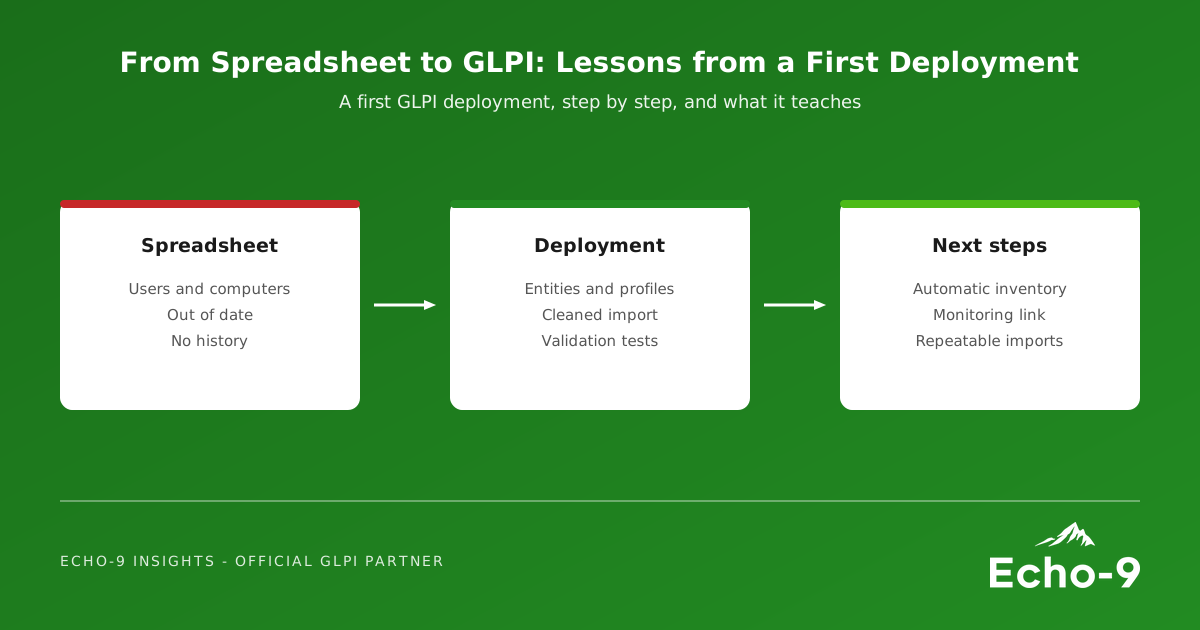
His write-up lists what he did:
- A technical study and the choice of GLPI, as an open-source and feature-rich solution
- Installation and configuration of the environment: web server, PHP and a MySQL or MariaDB database
- Configuration of entities, profiles and access rights
- Cleaning and preparing an Excel file listing users and their computers
- Importing the data into GLPI and associating each computer with its user
- Validation tests to check assignments and access rights were consistent
For next steps, he named integration with a monitoring tool such as Zabbix and automating future imports. It is a tidy, well-documented project, and a good reminder of what matters in a first deployment.
Lesson 1: structure before data
Entities, profiles and rights came before the import, and that order is right. Entities decide who sees what, so a multi-site organisation, an academy trust or a shared service can keep each school, site or partner separate while reporting centrally. Profiles decide what each person can do. Changing either after thousands of records are loaded is far harder than getting them right first.
Lesson 2: the spreadsheet is the hard part
Notice how much of the project was cleaning the Excel file. That is typical. Spreadsheets carry duplicates, leavers, typos and devices nobody has seen for years. Importing them unchanged simply moves the mess into GLPI. Time spent agreeing naming, removing duplicates and confirming owners is the best investment in the whole project.
Lesson 3: test the result, not just the import
The validation step checked that assignments and access rights made sense, not only that records arrived. Log in as a normal user, a technician and a manager in each entity and check what each can see. It catches the mistakes that would otherwise surface in front of users.
Lesson 4: the import is a starting point
His own next steps point to the most important lesson: a one-off import is accurate for a week. The way to keep it right is to let machines do the work. The GLPI Agent inventories Windows, macOS and Linux devices on a schedule; network discovery finds switches, printers and other devices; and integration with Zabbix links monitoring to the same assets. The spreadsheet then becomes a seed for the first day, not the source of truth.
What this means for UK organisations
The same steps apply to a charity with fifty laptops, a multi-academy trust or a council service. The difference is usually scale and governance: more entities, more integrations, and data protection obligations around who can see user and device data. The pattern of structure first, clean data, real testing and automation next holds at every size.
How Echo-9 helps
Echo-9 runs first GLPI deployments for UK organisations moving off spreadsheets or legacy tools. We design the entities and profiles with you, help clean and import the data, deploy the GLPI Agent and network discovery so the inventory stays current, and connect monitoring where it adds value. When you are ready for more, our CMDB article shows where it leads.
Import the spreadsheet once. Then never update it again.
Move your asset register into GLPI
If your inventory still lives in a spreadsheet, we would welcome a conversation about what a first GLPI deployment would look like for you.